本篇博文基于最近一个项目需要提供一个简单的websevice接口返回相关数据提供给三方,是一篇入门级的教程,仅供参考。
一、创建项目
1、首先你得下载安装好visul studio环境。然后创建新项目,选择ASP.NET Web 应用程序(.NET Framework)
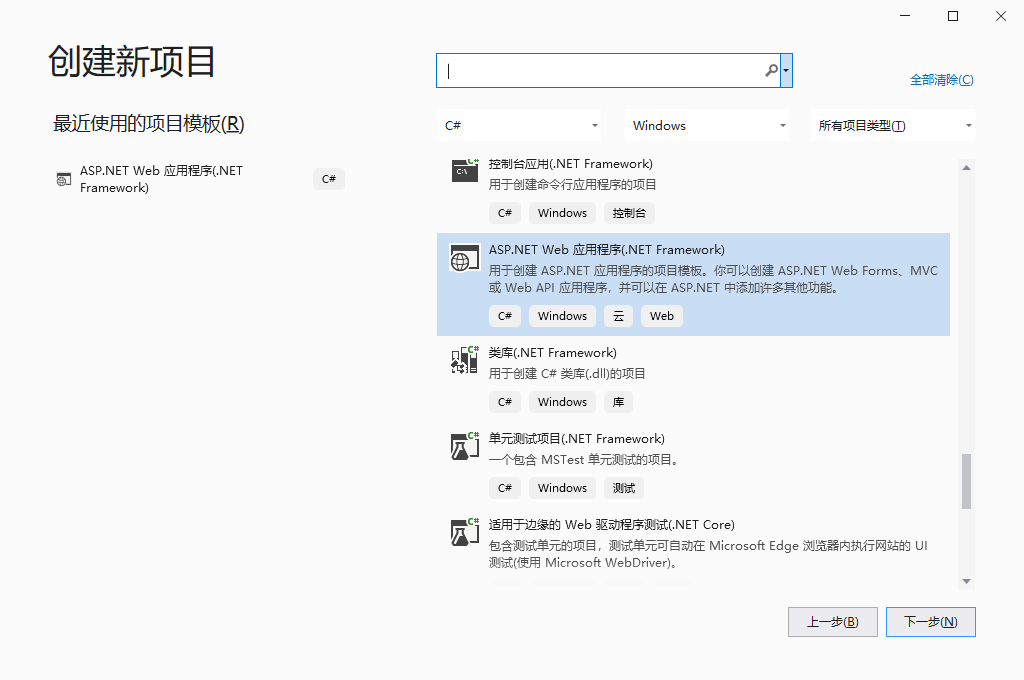
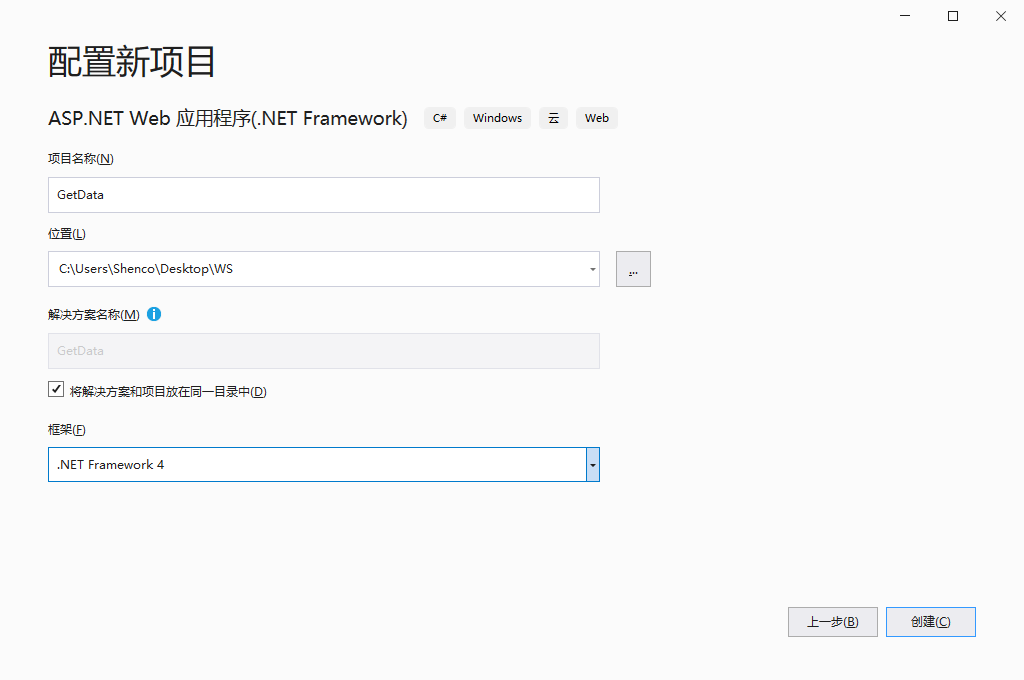
2、配置项目名称和位置,然后等待项目创建完成。
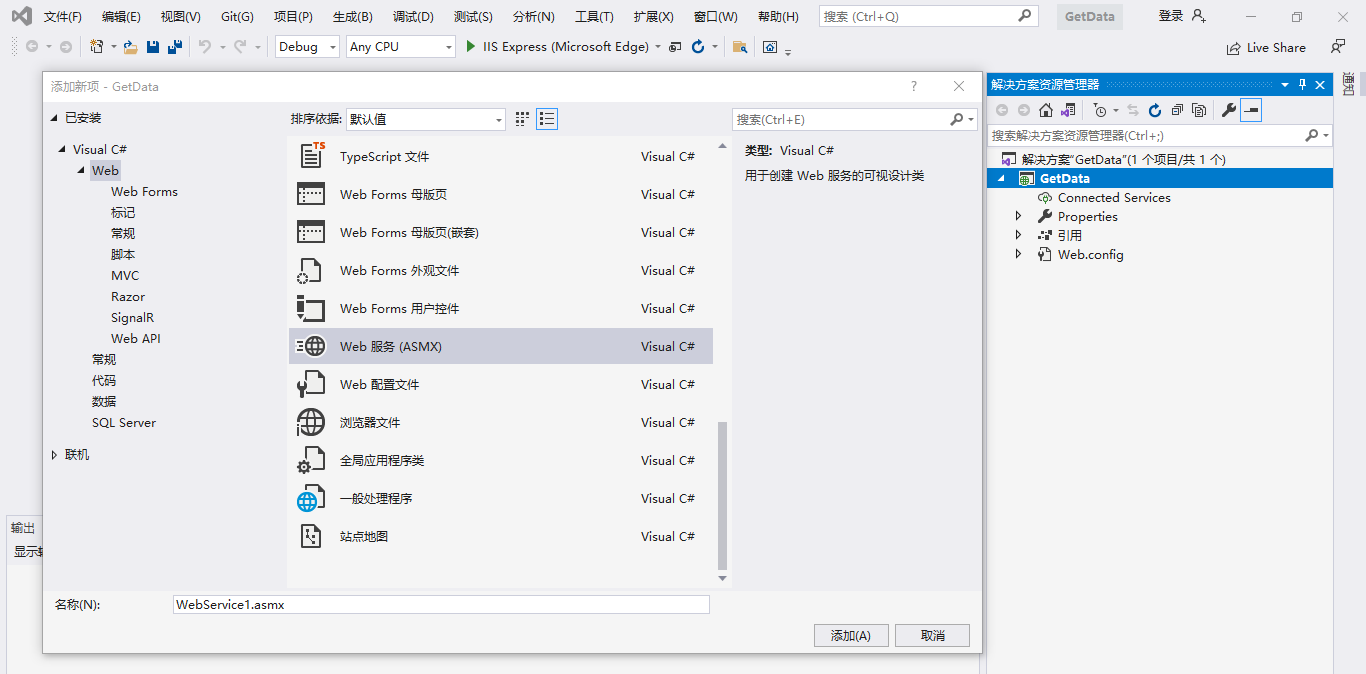
二、添加Web服务项
创建项目后,右击项目添加新建Web服务项。
三、启动测试
1、在刚才新建的Web服务项中写一个简单的加法接口。
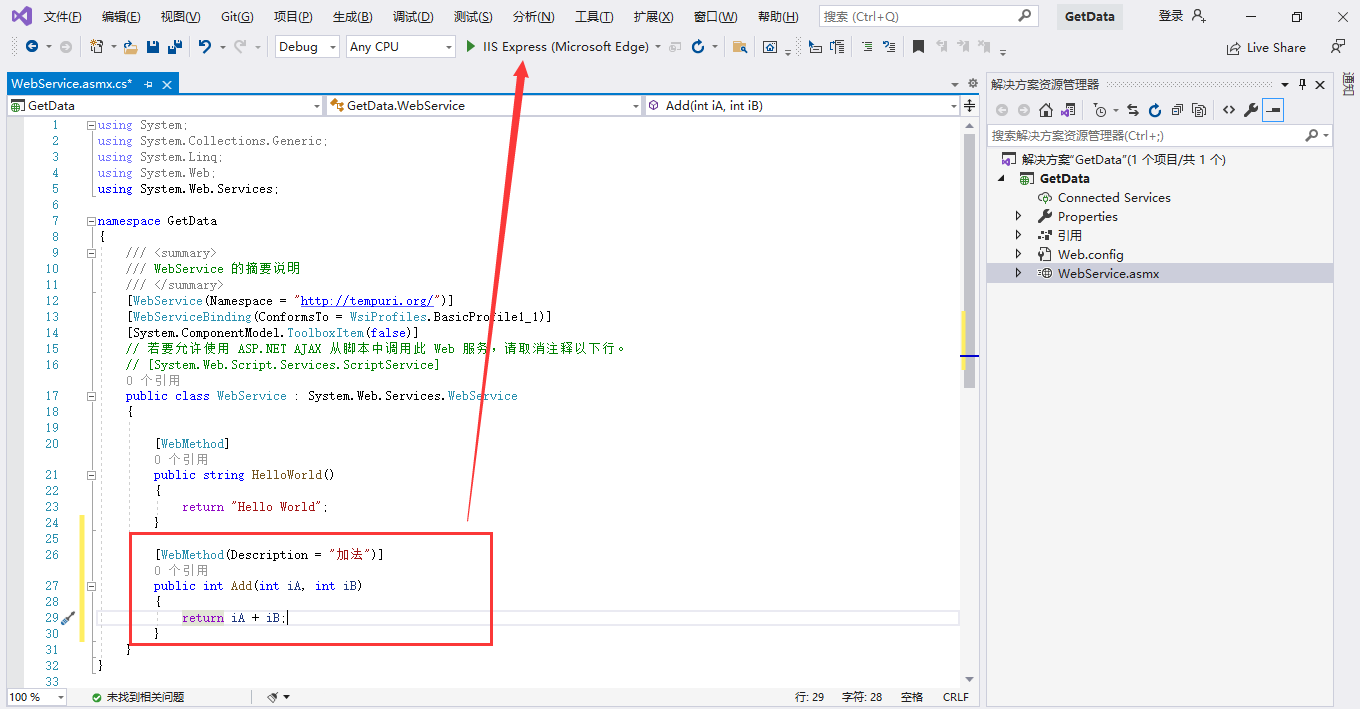
2、启动测试,即可看到添加的加法接口,点击接口进入后调用即可实现。
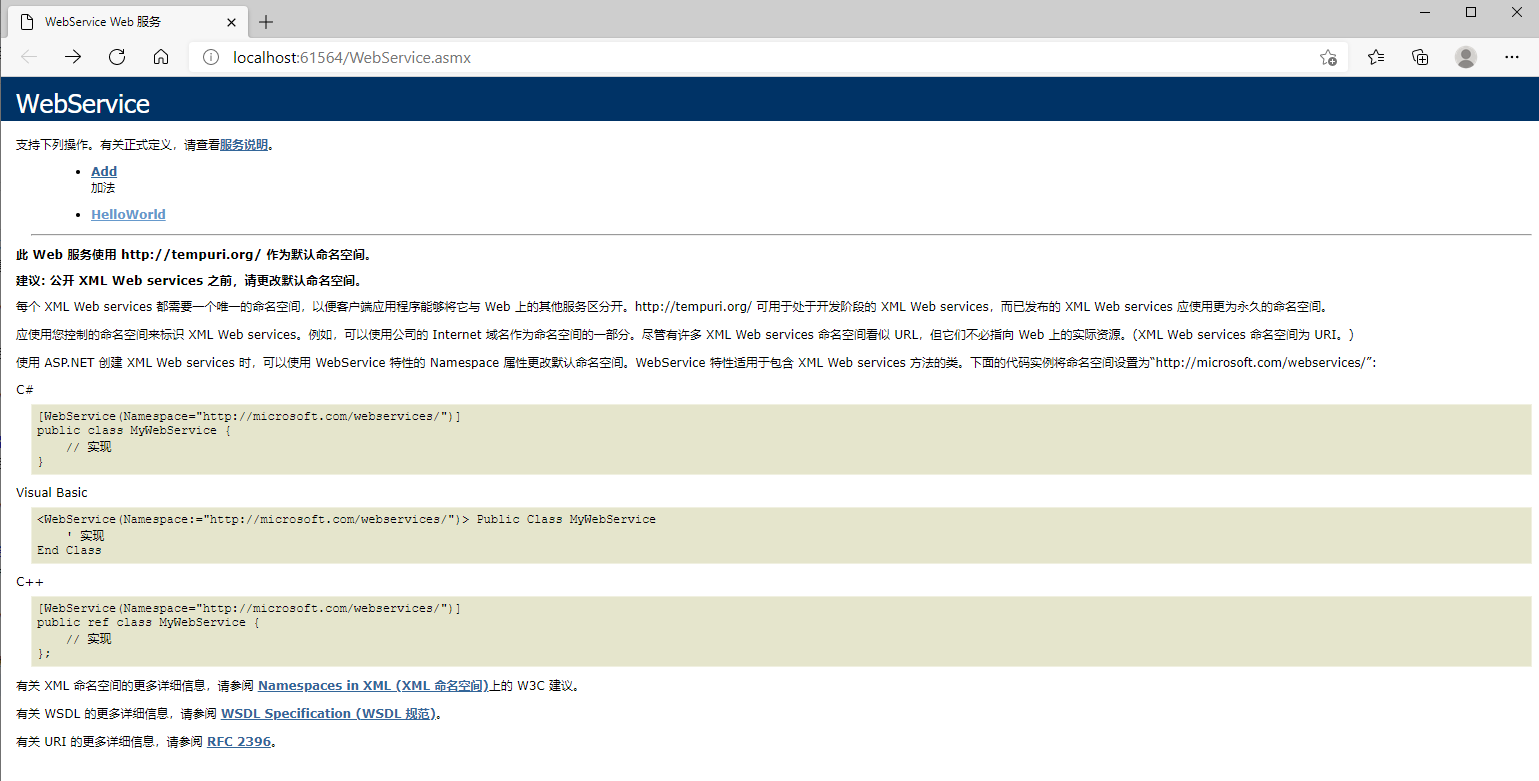
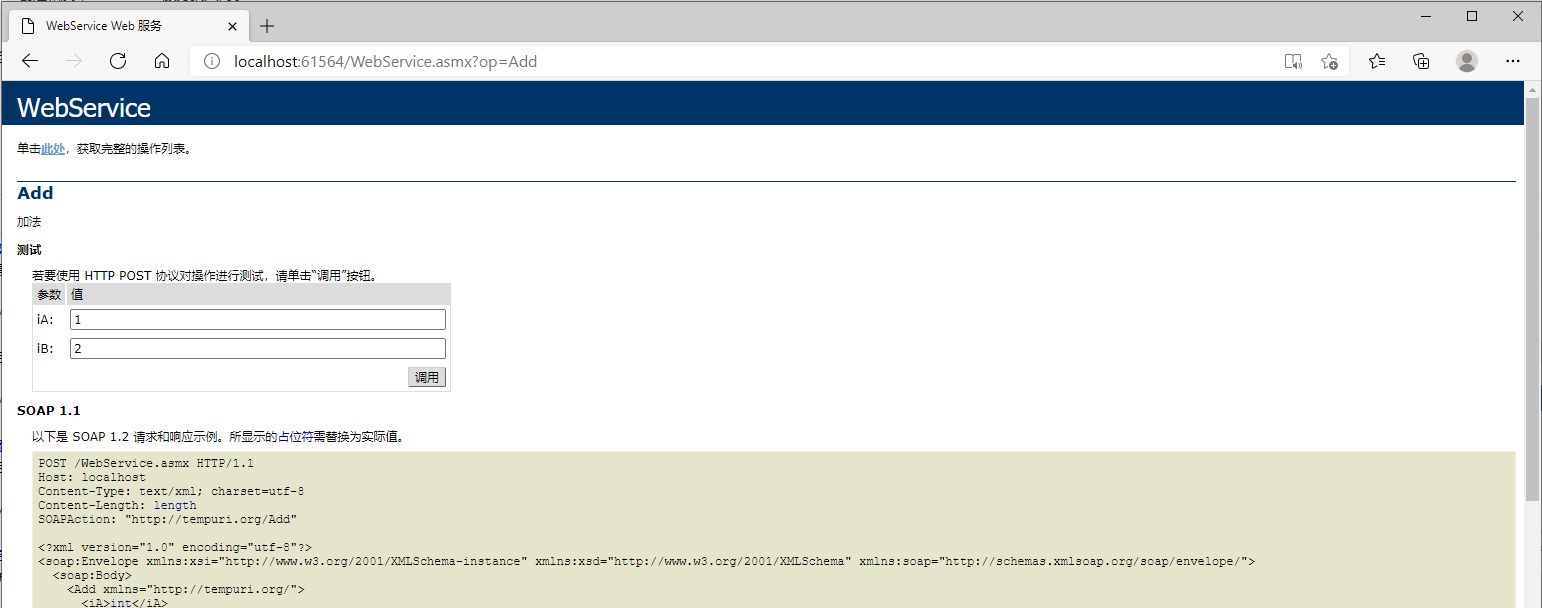

3、到此,一个简单的Webservice服务加法接口就写好了。接下来你就可以按下面的步骤发布和部署webservice接口了。 实际工作中我们肯定要更复杂的接口逻辑,如更深一点从数据库中返回相关数据。那么你就需要了解更多的语法和业务逻辑了。
4、下面贴一个入参drugcode返回pass_drugcode代码示例:
using System;
using System.Collections.Generic;
using System.Data;
using System.Data.OleDb;
using System.IO;
using System.Linq;
using System.Text;
using System.Web;
using System.Web.Services;
using System.Xml;

namespace GetDrugCode
{
    /// <summary>
    /// WebService1 的摘要说明
    /// </summary>
    [WebService(Namespace = "http://tempuri.org/")]
    [WebServiceBinding(ConformsTo = WsiProfiles.BasicProfile1_1)]
    [System.ComponentModel.ToolboxItem(false)]
    // 若要允许使用 ASP.NET AJAX 从脚本中调用此 Web 服务,请取消注释以下行。
    // [System.Web.Script.Services.ScriptService]
    public class WebService : System.Web.Services.WebService
    {
        OleDbConnection cnn = new OleDbConnection();
        [WebMethod]
        public string HelloWorld()
        {
            return "Hello World";
        }

        [WebMethod(Description = "入参医院内部drugcode返回pass_drugcode")]
        public string GetCode(string drugcode)
        {

            cnn.ConnectionString = System.Configuration.ConfigurationManager.AppSettings["s"].ToString();
            string sql = "select  distinct pass_drugcode from PASSPA2DB..mc_dict_drug_pass where drugcode = '"+ drugcode +"'";
            try
            {
                cnn.Open();
                DataTable dt = new DataTable();
                OleDbCommand cmd = new OleDbCommand(sql, cnn);
                OleDbDataReader datar = cmd.ExecuteReader();
                dt.Load(datar);
                 string _xml = ConvertDataTableToXML(dt);
                return _xml;
            }
            catch (Exception e)
            {
                return e.Message;
            }
            finally {
                cnn.Close();
             }
        }


        public string ConvertDataTableToXML(DataTable vTable)
        {
            if (null == vTable) return string.Empty;
            if (string.IsNullOrEmpty(vTable.TableName))
            {
                vTable.TableName = "PassDrugInfo";
            }
            StringWriter writer = new StringWriter();
            vTable.WriteXml(writer);
            string xmlstr = writer.ToString();
            writer.Close();
            return xmlstr;
        }

    }
}
当然此逻辑还加了一个webconfig数据库连接配置。当然你甚至可以把数据表和字段作为参数返回你想要的任何数据,自行发挥想象吧。
<?xml version="1.0" encoding="utf-8"?>

<!--
  有关如何配置 ASP.NET 应用程序的详细信息,请访问
  https://go.microsoft.com/fwlink/?LinkId=169433
-->

<configuration>
    <system.web>
      <compilation debug="true" targetFramework="4.0" />
    </system.web>
  <appSettings>
    <add key="s" value="Provider = SQLOLEDB.1; Password = XXXX; Persist Security Info = True; User ID = xxxxx; Initial Catalog = xxxxxx; Data Source = 127.0.0.1"></add>
  </appSettings>
</configuration>
四、发布WebService
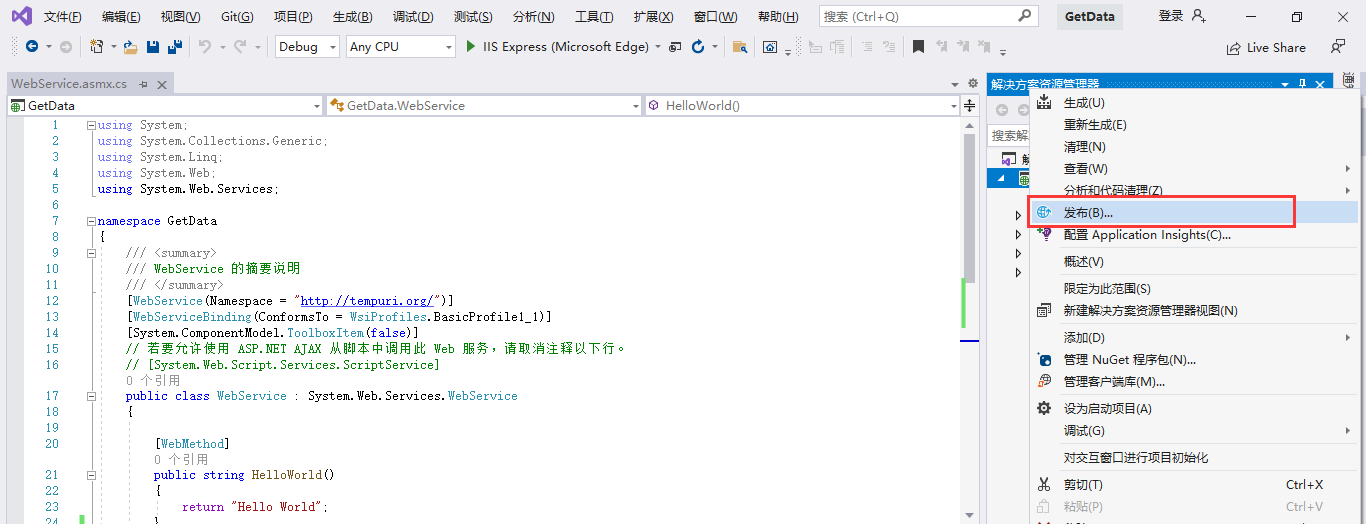
代码逻辑写好测试没问题即可发布WebService。右击项目选择发布到文件夹,然后按提示一步一步等待发布完成即可。
五、发布IIS网站
程序包点击下方的附件下载。然后在IIS发布WebService网站,怎么部署IIS等配置相信你已轻车熟路了,不然请约度娘。
评论
0